Loads in seconds
Customer, job or pit, material, ticket number and quantity. "Same haul, new ticket" repeats the last load so the next dump takes one entry.
Built by a working driver · Robstown, TX
HaulSlip is an app for dump truck and aggregate owner-operators. Log your loads, miles, fuel and costs on your phone, see what you actually made, and send your customer an invoice. It works with no signal and needs no account.
Already have HaulSlip? Your key keeps working. Open the app at haulslip.app.
What's in the cab
Built around how dump and aggregate work actually gets paid, so your numbers match your scale tickets.
Customer, job or pit, material, ticket number and quantity. "Same haul, new ticket" repeats the last load so the next dump takes one entry.
Enter a job's rate once. Next time you pick that customer, pit and material, the rate fills itself in.
Type the miles, or your start and end odometer and the miles fill in. You enter them; there's no GPS draining your battery.
Each card swipe is its own line, diesel and DEF kept separate. MPG uses diesel only, so DEF doesn't throw it off.
Fuel, tolls, repairs and your annual insurance spread across every day. See net and cost per mile by day, week, month and year.
Pick a customer and a week. Each day's hauls are listed with the ticket numbers underneath. Share it from your phone.
Log each truck separately or see them combined. Mark a personal vehicle so it stays out of your business numbers.
One spreadsheet of the year's loads, fuel and expenses for your accountant, plus CSV export for any week or month.
Set oil, filters and other services by miles. HaulSlip flags them as due soon and due now from the miles you log.
"Done for today" walks you through saving a backup to Google Drive, iCloud or Files, with pictures. A badge shows when you last backed up. New phone? Open the copy and your year comes back.
See it in action
Taken from HaulSlip itself, not mockups. The numbers are real days of hauling.
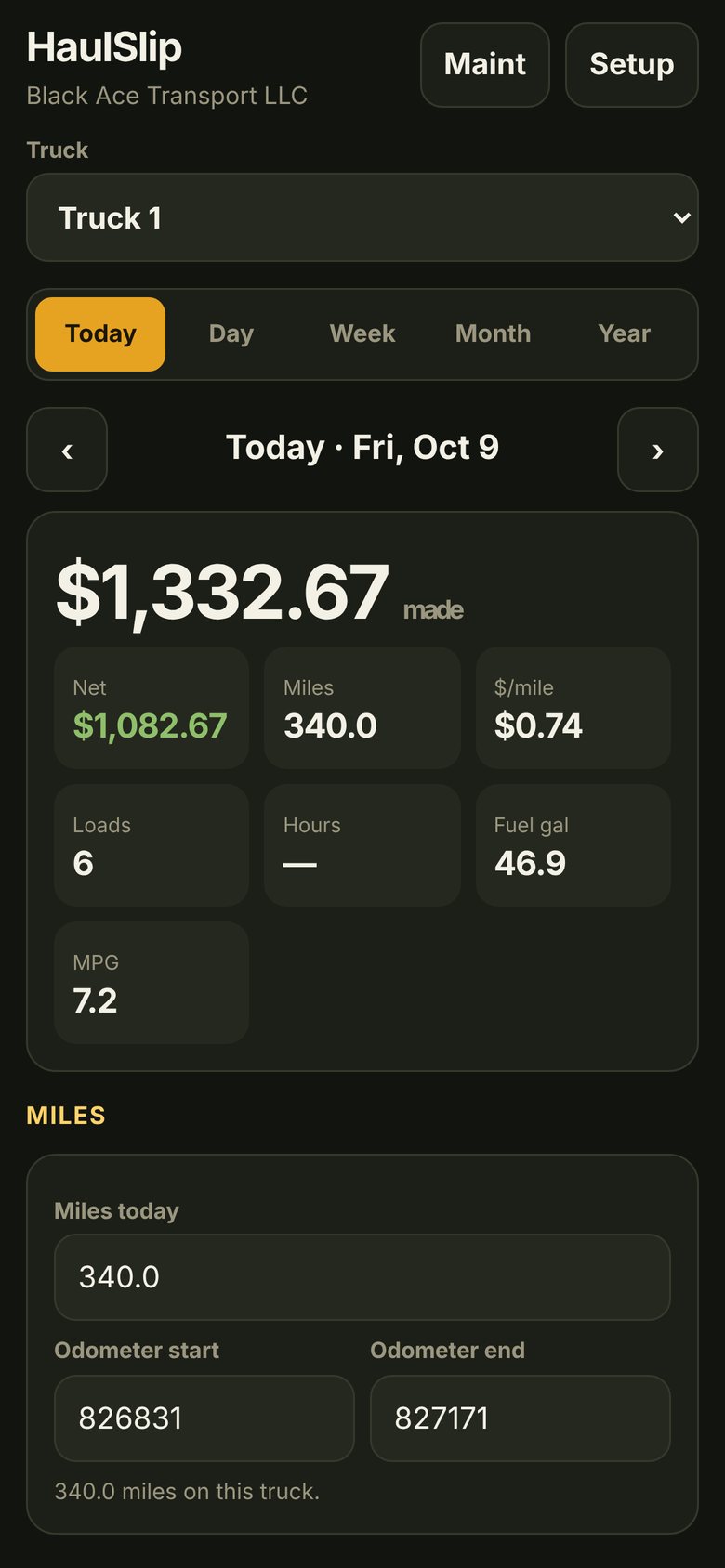
Made, net, miles, cost per mile and MPG.
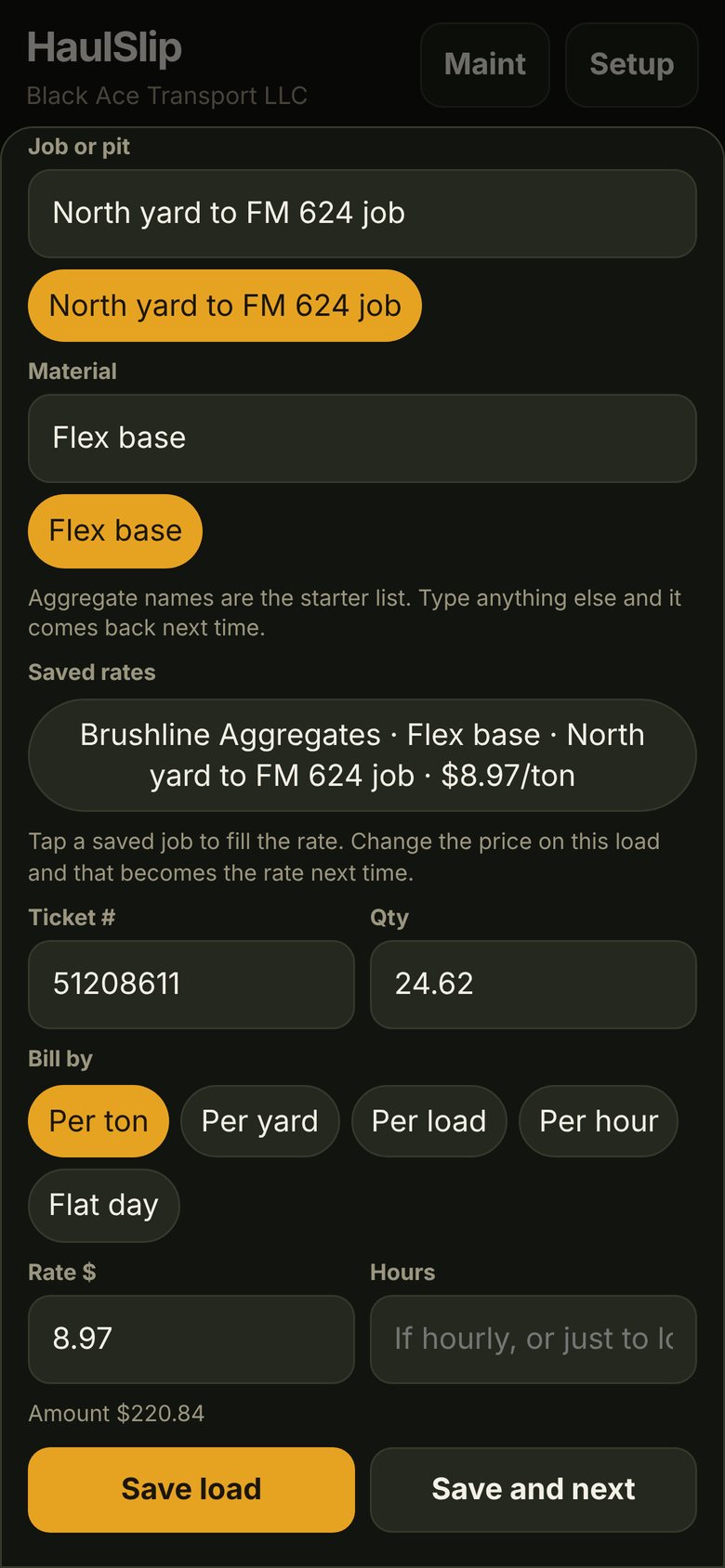
Saved rate fills in. Amount figures itself.
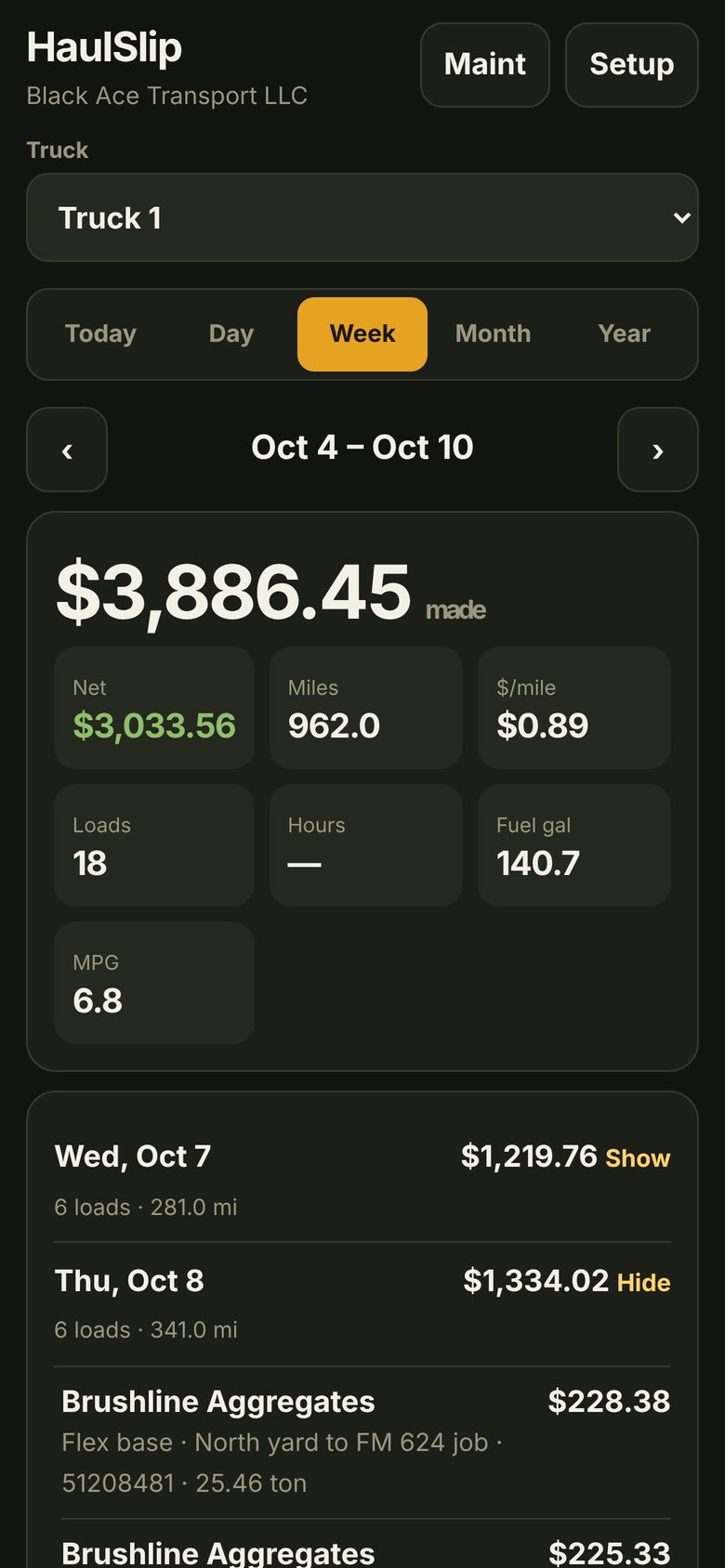
Every day's hauls and the week total.
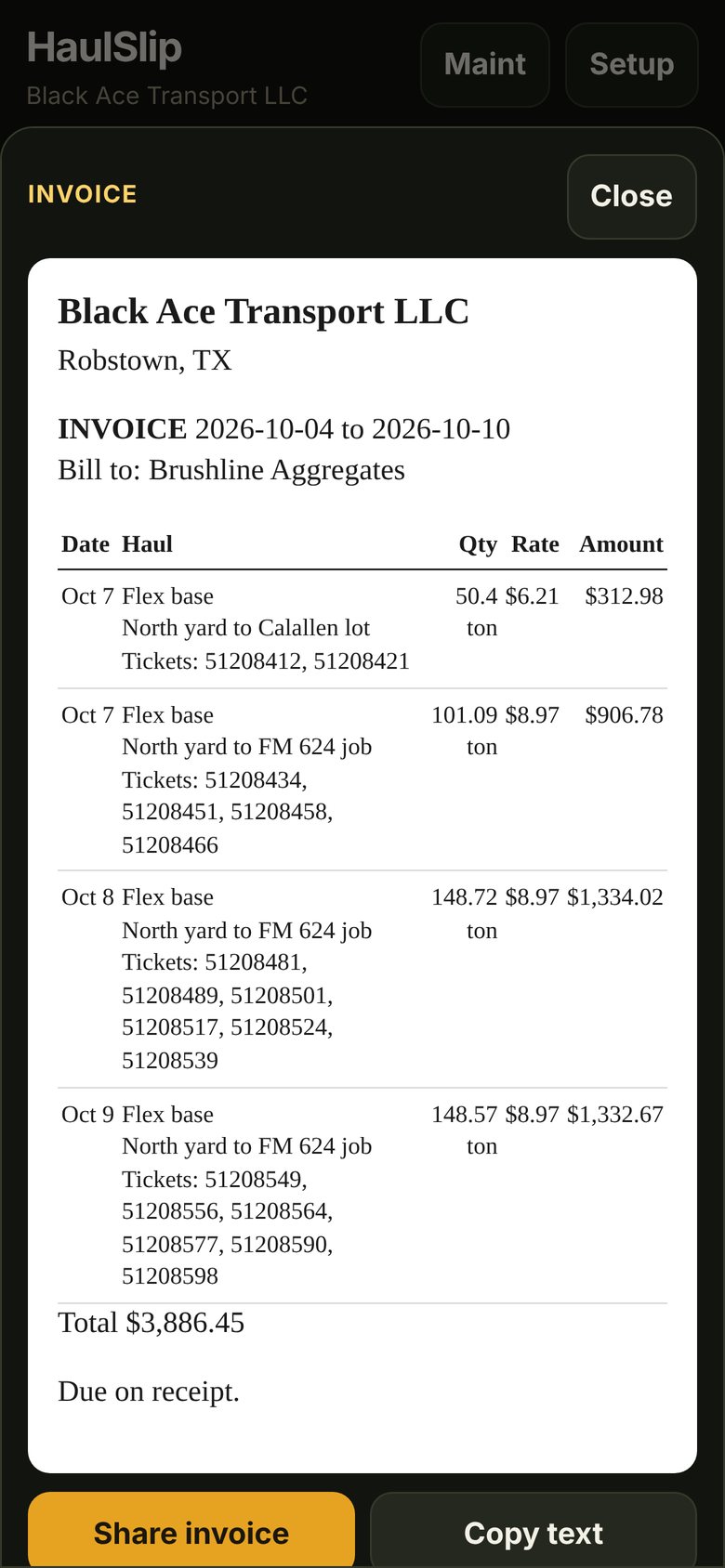
Ticket numbers listed under each haul.
Customer, job and ticket names in these screenshots have been changed.
Up and running in 3 steps
Your license key was emailed to you when you got HaulSlip. Keep that email.
Tap the button in your receipt email to open haulslip.app in your browser, then add it to your Home Screen. HaulSlip shows you each step with pictures. No app store needed.
Open HaulSlip from the new icon. Your key comes with the link, so it's one tap to activate. After that it runs with no signal at the pit or the job site.
iPhone users: enter your key in the Home Screen icon, not in the browser tab. The icon keeps its own book. See the install steps.
HaulSlip is a record-keeping tool only. It is not an electronic logging device (ELD), not a record of duty status, and not a substitute in any way for hours-of-service requirements under FMCSA regulations (49 CFR Part 395) or any other federal, state or DOT rule.
It does not track miles by state and is not an IFTA or IRP record. Read the full disclaimer.
Works offline · No account needed
New sales are closed. PitRun is coming to the App Store and Google Play.